> For the complete documentation index, see [llms.txt](https://docs.reo.dev/llms.txt). Markdown versions of documentation pages are available by appending `.md` to page URLs; this page is available as [Markdown](https://docs.reo.dev/integrations/output-integrations/data-export/zapier.md).
# Zapier
The **Reo.Dev x Zapier** integration lets you build automated workflows by syncing accounts, developers, and buyers from your Reo.Dev segments to any of the 5,000+ apps supported by Zapier.
Refer to the section below to find out how to connect your Reo.Dev instance to your Zapier account.
{% hint style="info" %}
**Note:** Currently Reo.Dev is an **Invite only** app on Zapier. Use this [link](https://zapier.com/developer/public-invite/204690/3b325508b5ee65407eb1f8c990e7671f/) to connect the Reo.Dev app
{% endhint %}
**Step 1:** Click on **Accept and Build a Zap**.

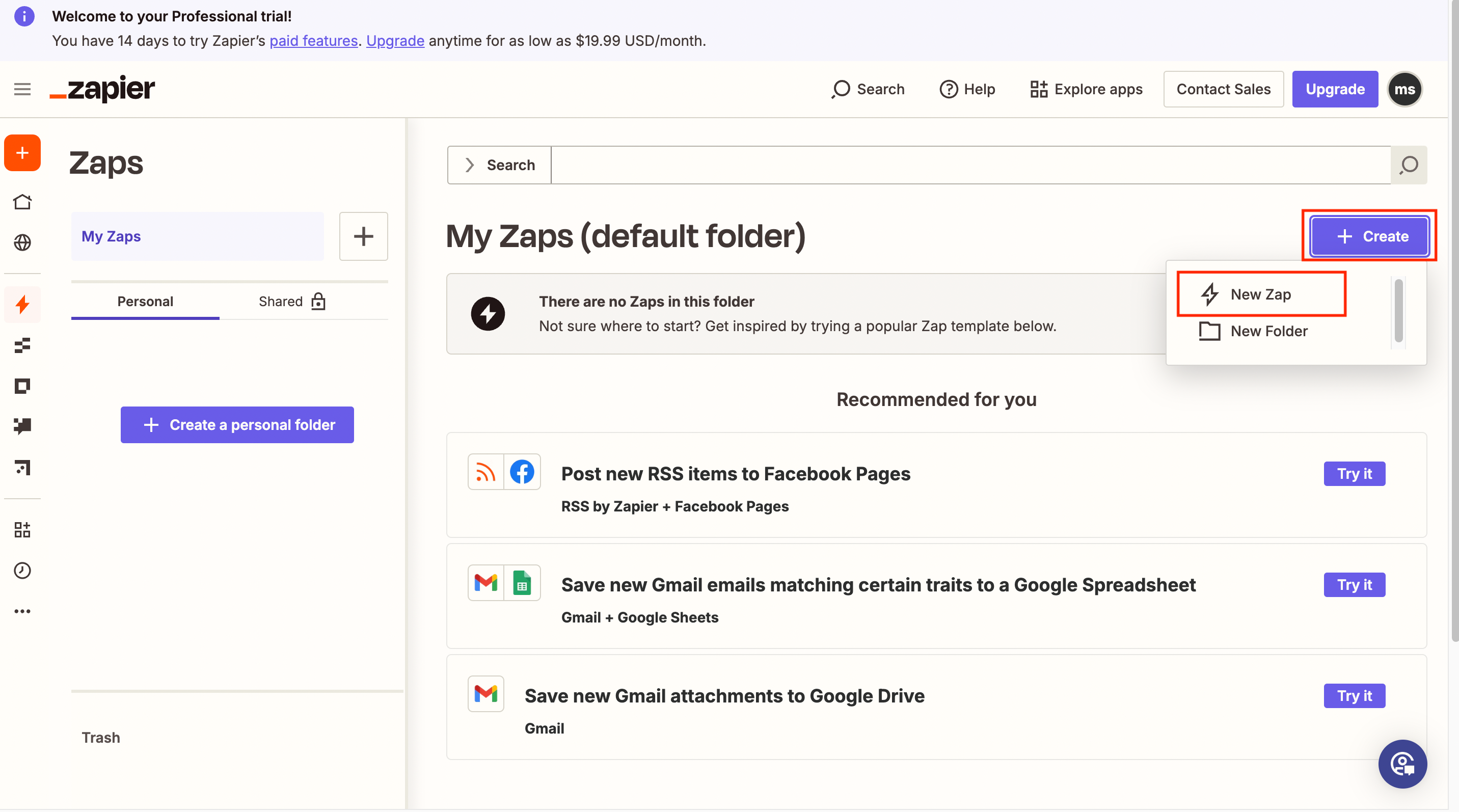
**Step 2:** You’ll be redirected to the Zapier webpage. Here, click **Create** and then click **New Zap**.
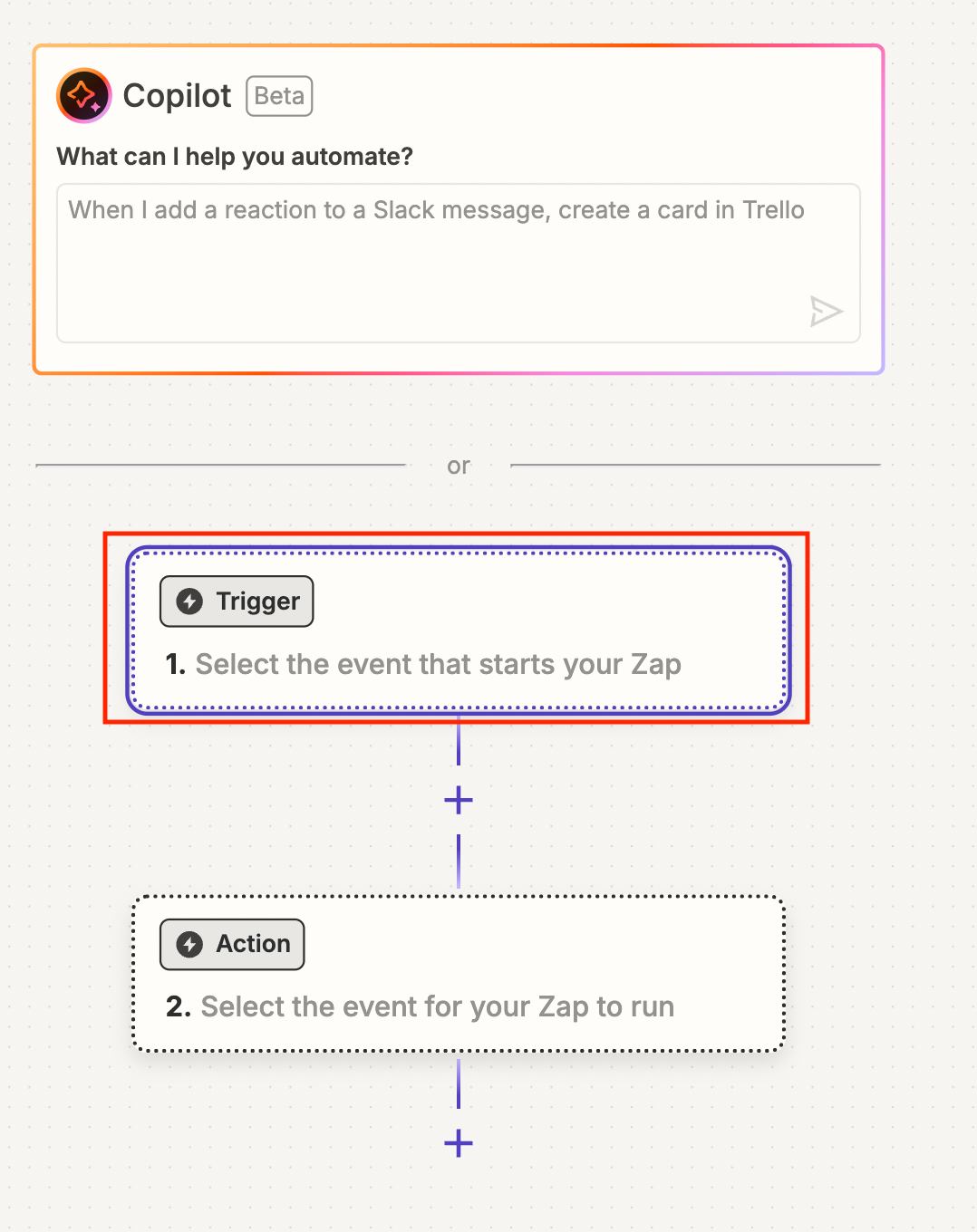
 **Step 3:** Click on the Trigger panel to first add and authenticate the Reo.Dev app
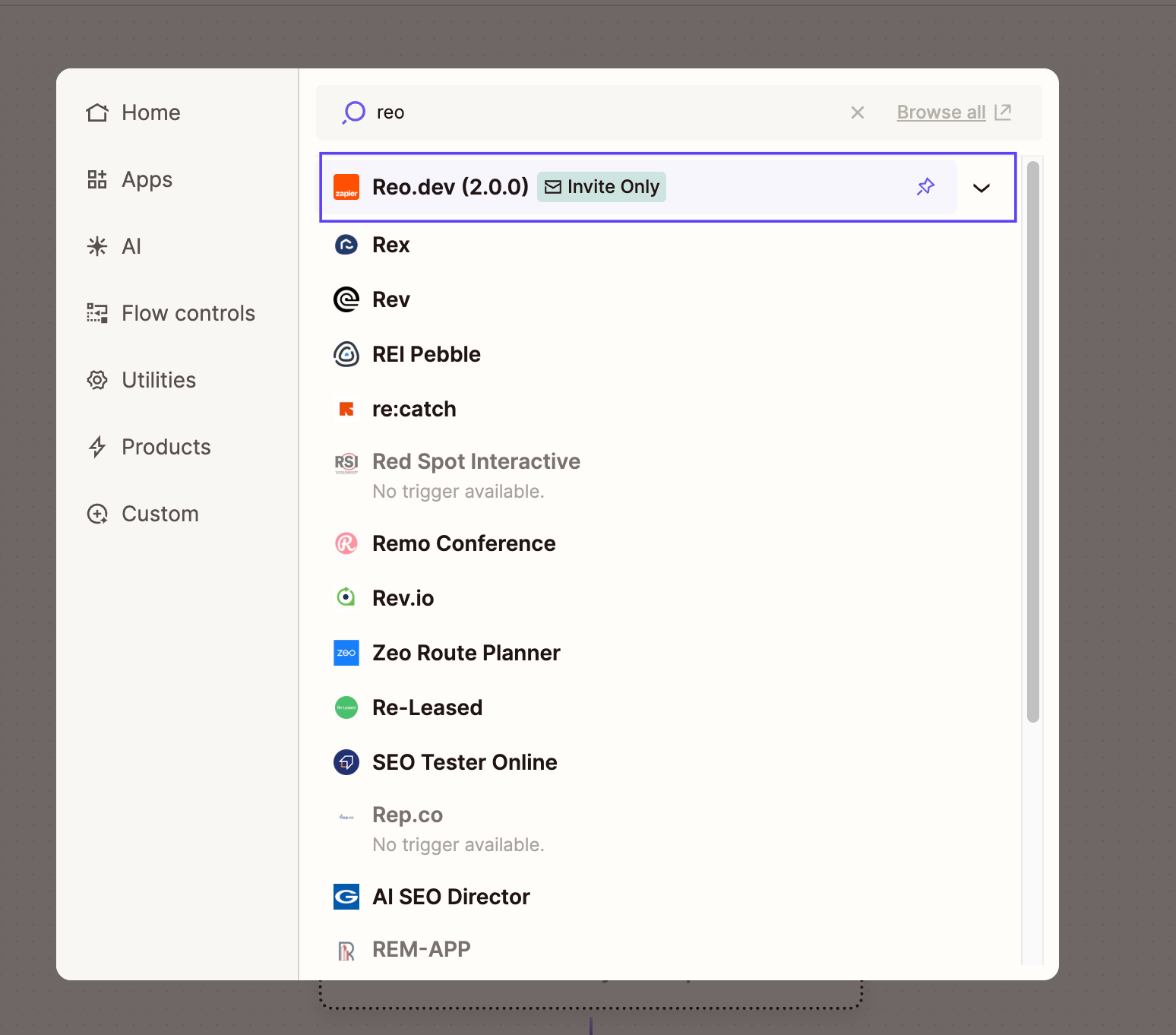
 **Step 4:** Search for the Reo.Dev app.
 ### Choose a Trigger Event
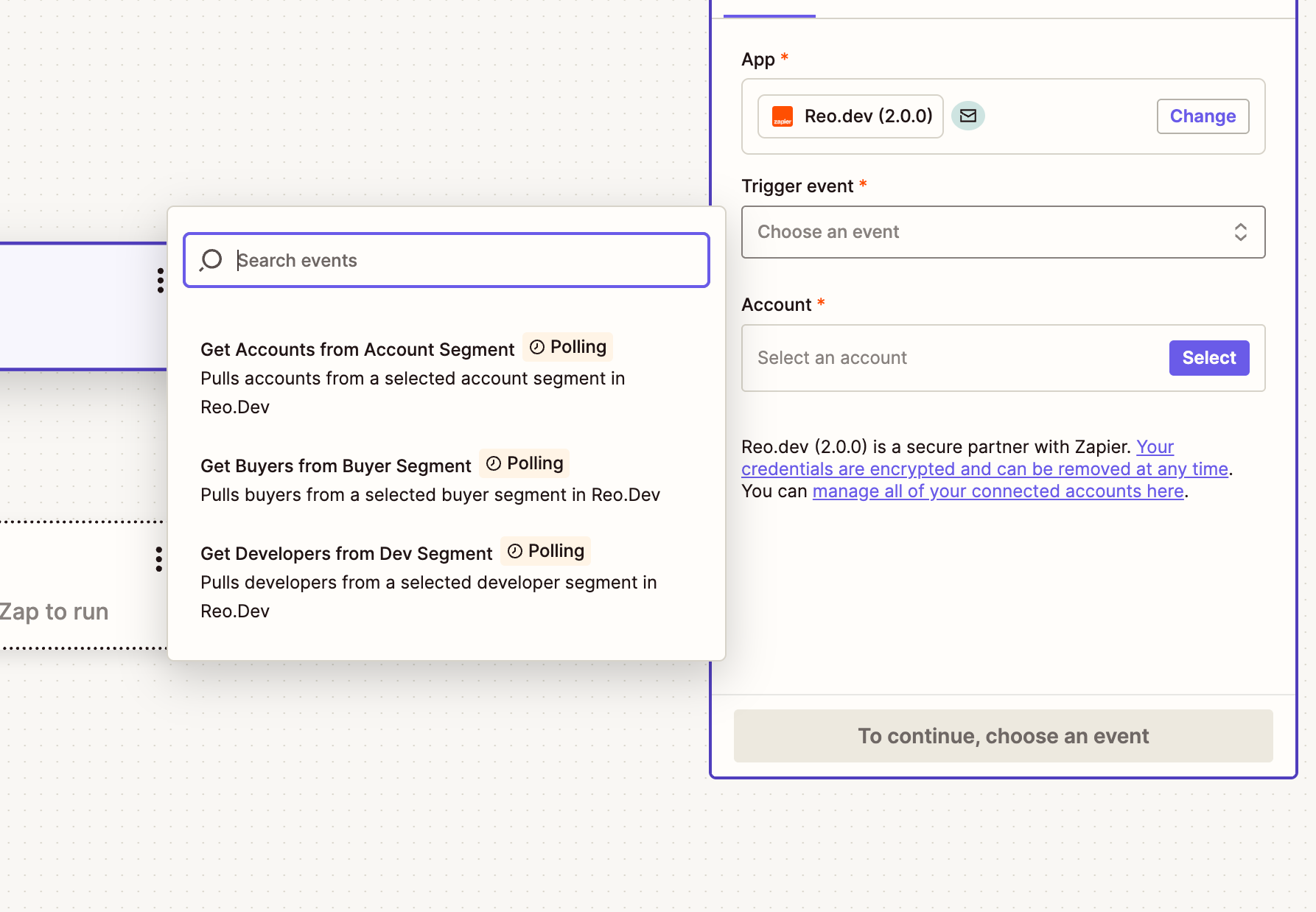
**Step 5:** In this step, you’ll select the event in Reo.Dev that will trigger the Zap.
#### **Supported Triggers**
These are **polling-based** triggers. Zapier checks for new entries every 15 minutes.
| **Trigger** | **Description** |
| ------------------------------------- | -------------------------------------------------- |
| **Get Accounts from Account Segment** | Pulls accounts from a selected account segment |
| **Get Developers from Dev Segment** | Pulls developers from a selected developer segment |
| **Get Buyers from Buyer Segment** | Pulls buyers from a selected buyer segment |
| **Get Buyers from Buyer Audience** | Pulls buyers from a selected buyer audience |
Once you've selected the trigger, click **Continue**.
### Choose a Trigger Event
**Step 5:** In this step, you’ll select the event in Reo.Dev that will trigger the Zap.
#### **Supported Triggers**
These are **polling-based** triggers. Zapier checks for new entries every 15 minutes.
| **Trigger** | **Description** |
| ------------------------------------- | -------------------------------------------------- |
| **Get Accounts from Account Segment** | Pulls accounts from a selected account segment |
| **Get Developers from Dev Segment** | Pulls developers from a selected developer segment |
| **Get Buyers from Buyer Segment** | Pulls buyers from a selected buyer segment |
| **Get Buyers from Buyer Audience** | Pulls buyers from a selected buyer audience |
Once you've selected the trigger, click **Continue**.
 ***
**Step 6:** Connect Your Reo.Dev Account
Next, you’ll be prompted to authenticate your Reo.Dev account.
Click **Select Account**, then click **Connect a new account**. This will open a screen asking for your **Reo.Dev API Key**.
**To access your API key:**
1. Navigate to **Configurations → API Keys**.
{% hint style="info" %}
Note: Only users with Admin Role in Reo.Dev can access the API Keys
{% endhint %}
2. Locate the **Product Export & Zapier Integration** section.
3. Click **Copy** to use the key, or **Re-generate** if needed.

{% hint style="info" %}
**Note:** Only **Admin** users in Reo.Dev have permission to generate API keys. Other users can still view and copy an existing key.
{% endhint %}
Paste the key into the Zapier prompt and click **Yes, Continue to Reo.Dev (2.0.0)**.

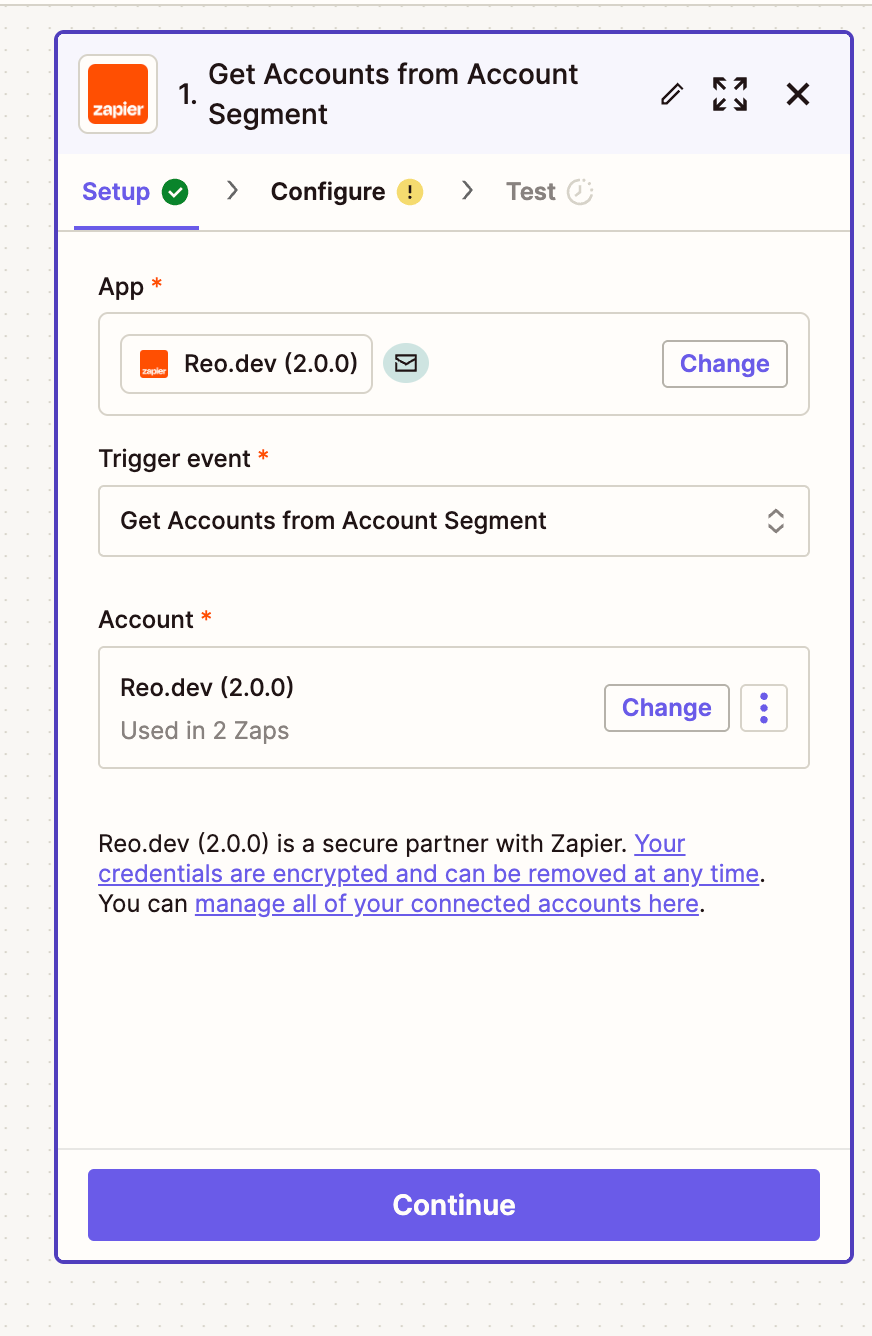
**Step 7:** Click **Continue** to complete the Setup.
***
**Step 6:** Connect Your Reo.Dev Account
Next, you’ll be prompted to authenticate your Reo.Dev account.
Click **Select Account**, then click **Connect a new account**. This will open a screen asking for your **Reo.Dev API Key**.
**To access your API key:**
1. Navigate to **Configurations → API Keys**.
{% hint style="info" %}
Note: Only users with Admin Role in Reo.Dev can access the API Keys
{% endhint %}
2. Locate the **Product Export & Zapier Integration** section.
3. Click **Copy** to use the key, or **Re-generate** if needed.

{% hint style="info" %}
**Note:** Only **Admin** users in Reo.Dev have permission to generate API keys. Other users can still view and copy an existing key.
{% endhint %}
Paste the key into the Zapier prompt and click **Yes, Continue to Reo.Dev (2.0.0)**.

**Step 7:** Click **Continue** to complete the Setup.
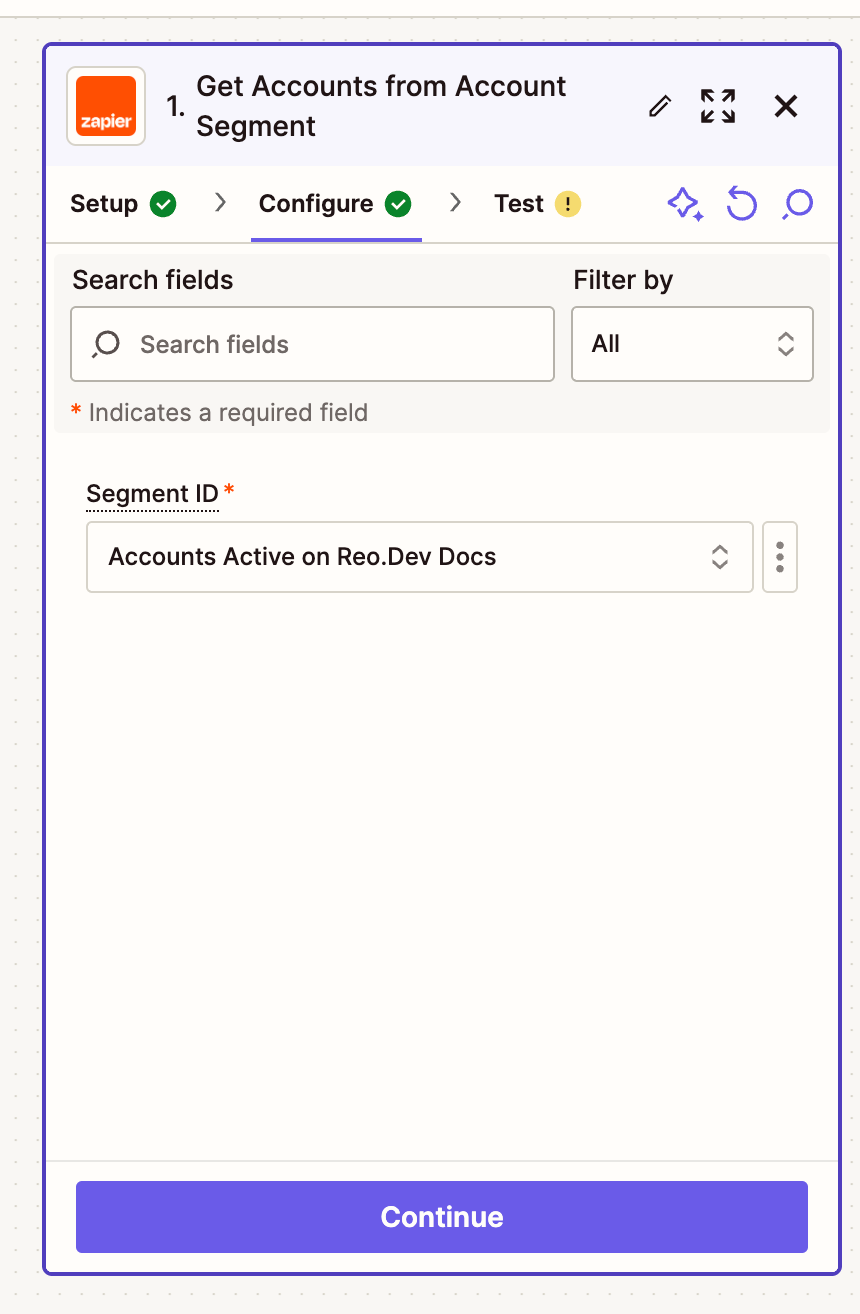
 **Step 8:** Select the segments you’ve created from which you want data to flow to trigger the Zap and click **Continue**.
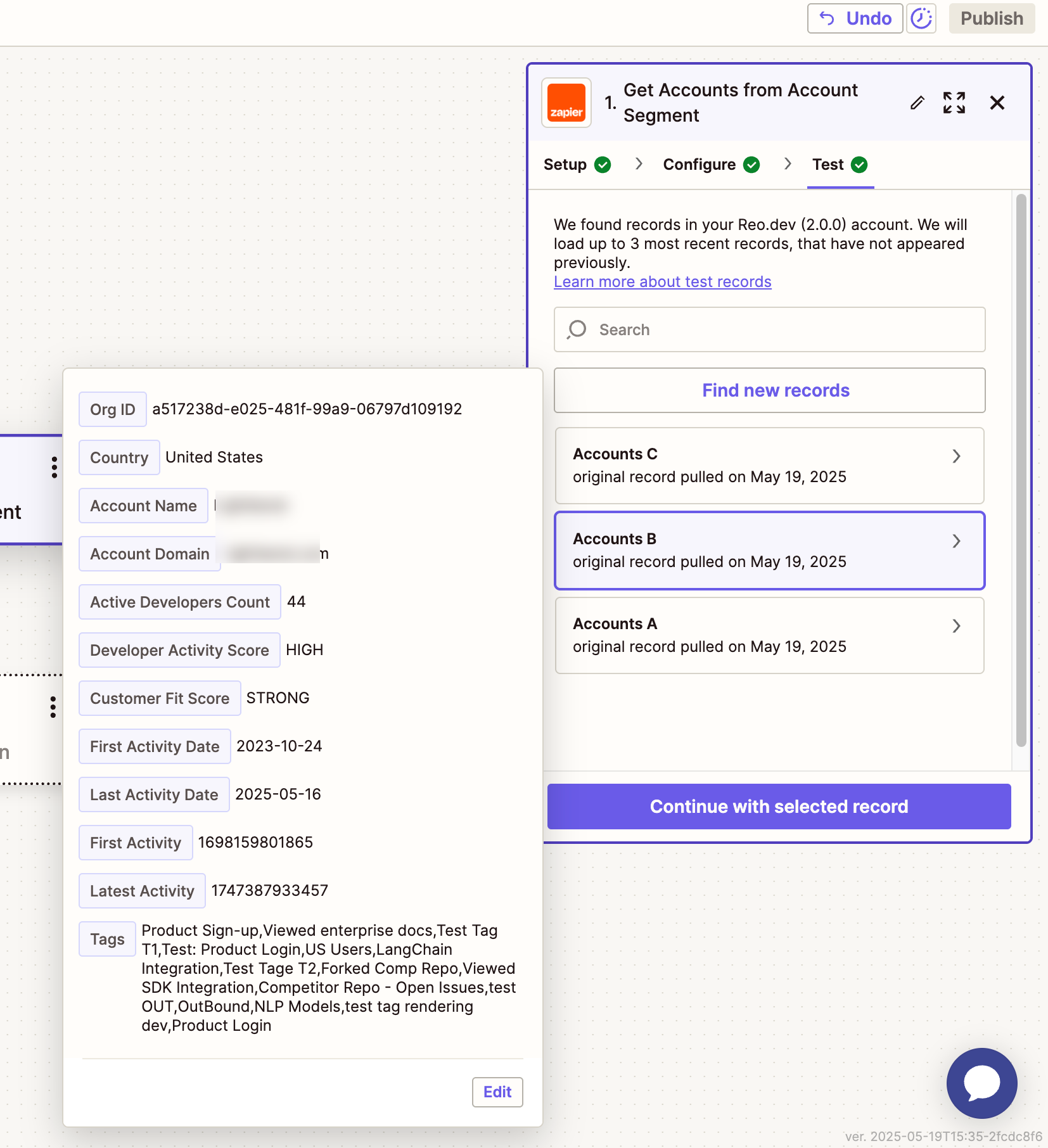
 **Step 9:** Zapier allows you to test whether the data from the selected segment is flowing correctly.
 ***
### Metadata You’ll Receive
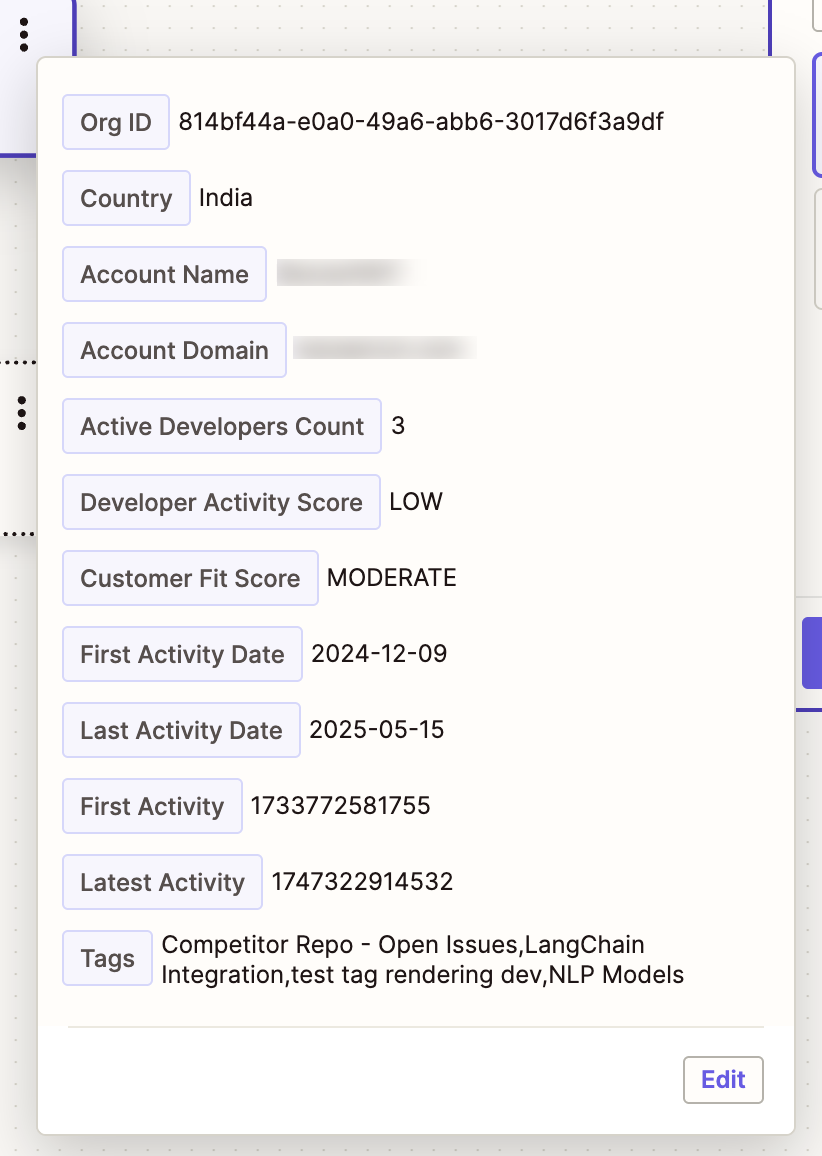
Each Zap triggered by Reo.Dev includes detailed metadata. Below are the fields returned for each entity:
#### Account Fields
| **Field** | **Example** |
| ------------------------ | ------------------------------------------------------------------------------------------------------ |
| Org ID | `814bf44a-e0a0-49a6-abb6-3017d6f3a9df` |
| Country | United States |
| Account Name | Acme Co. |
| Account Domain | acme.com |
| Active Developers Count | `3` |
| Developer Activity Score | `LOW` |
| Customer Fit Score | `MODERATE` |
| First Activity Date | `2024-12-09` |
| Last Activity Date | `2025-05-15` |
| Tags | `Competitor Repo - Open Issues, LangChain Integration, NLP Models` |
| Activity Score | `HIGH` |
| Activity Score Numeric | 70 |
| City | San Francisco |
| State | California |
| Developer Funnel | `DISCOVER` |
| Reo Account Link | |
***
### Metadata You’ll Receive
Each Zap triggered by Reo.Dev includes detailed metadata. Below are the fields returned for each entity:
#### Account Fields
| **Field** | **Example** |
| ------------------------ | ------------------------------------------------------------------------------------------------------ |
| Org ID | `814bf44a-e0a0-49a6-abb6-3017d6f3a9df` |
| Country | United States |
| Account Name | Acme Co. |
| Account Domain | acme.com |
| Active Developers Count | `3` |
| Developer Activity Score | `LOW` |
| Customer Fit Score | `MODERATE` |
| First Activity Date | `2024-12-09` |
| Last Activity Date | `2025-05-15` |
| Tags | `Competitor Repo - Open Issues, LangChain Integration, NLP Models` |
| Activity Score | `HIGH` |
| Activity Score Numeric | 70 |
| City | San Francisco |
| State | California |
| Developer Funnel | `DISCOVER` |
| Reo Account Link | |
 ***
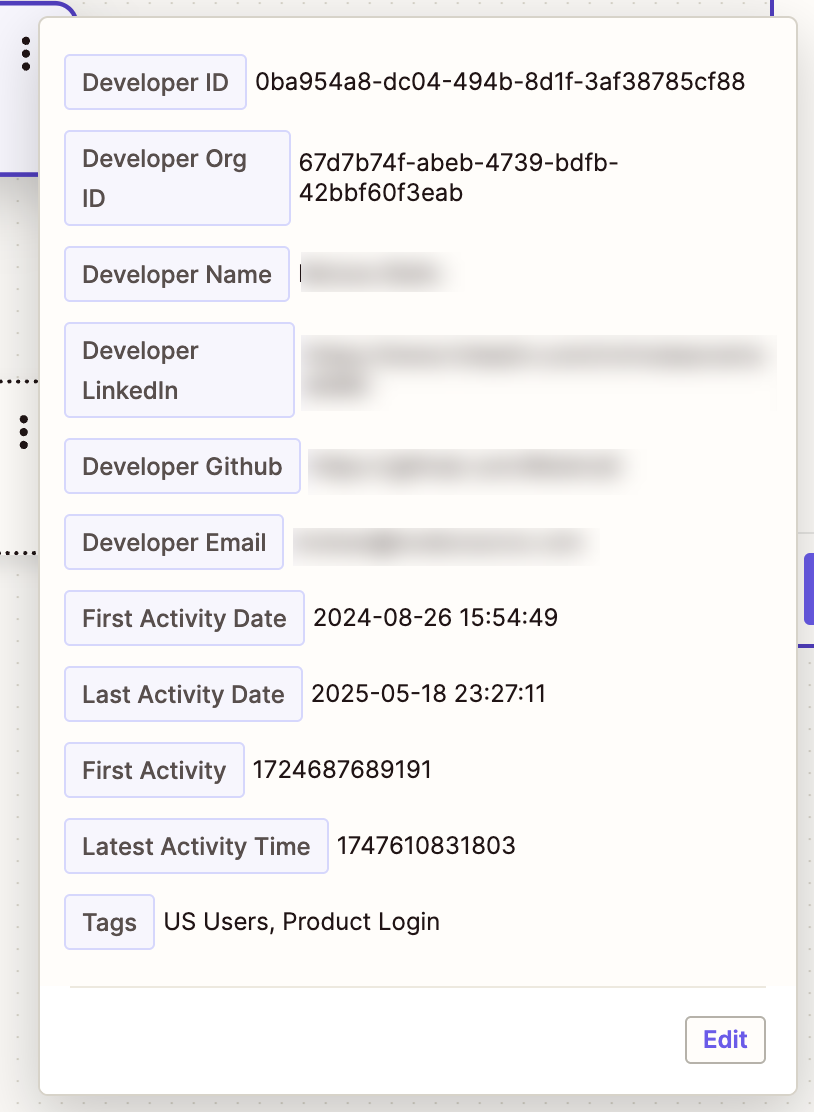
#### Developer Fields
| Field | Example |
| ------------------------ | ------------------------------------------------------------------------------------- |
| Developer ID | `1146c672-c0b3-4161-82dd-be32e58be6df` |
| Developer Org ID | `6227136f-49bd-4956-bd67-d6b6cec0129c` |
| Developer Name | John Doe |
| Developer LinkedIn | LinkedIn URL |
| Developer GitHub | GitHub URL |
| Developer Business Email | |
| First Activity Date | `2025-03-28 15:54:03` |
| Last Activity Date | `2025-05-17 17:13:24` |
| Tags | `Checked Playbook, Product Login` |
| Activity Score | `HIGH` |
| Activity Score Numeric | 70 |
| Developer Designation | Software Engineer |
| Reo Developer Link | |
| State | California |
| City | San Francisco |
***
#### Developer Fields
| Field | Example |
| ------------------------ | ------------------------------------------------------------------------------------- |
| Developer ID | `1146c672-c0b3-4161-82dd-be32e58be6df` |
| Developer Org ID | `6227136f-49bd-4956-bd67-d6b6cec0129c` |
| Developer Name | John Doe |
| Developer LinkedIn | LinkedIn URL |
| Developer GitHub | GitHub URL |
| Developer Business Email | |
| First Activity Date | `2025-03-28 15:54:03` |
| Last Activity Date | `2025-05-17 17:13:24` |
| Tags | `Checked Playbook, Product Login` |
| Activity Score | `HIGH` |
| Activity Score Numeric | 70 |
| Developer Designation | Software Engineer |
| Reo Developer Link | |
| State | California |
| City | San Francisco |
 ***
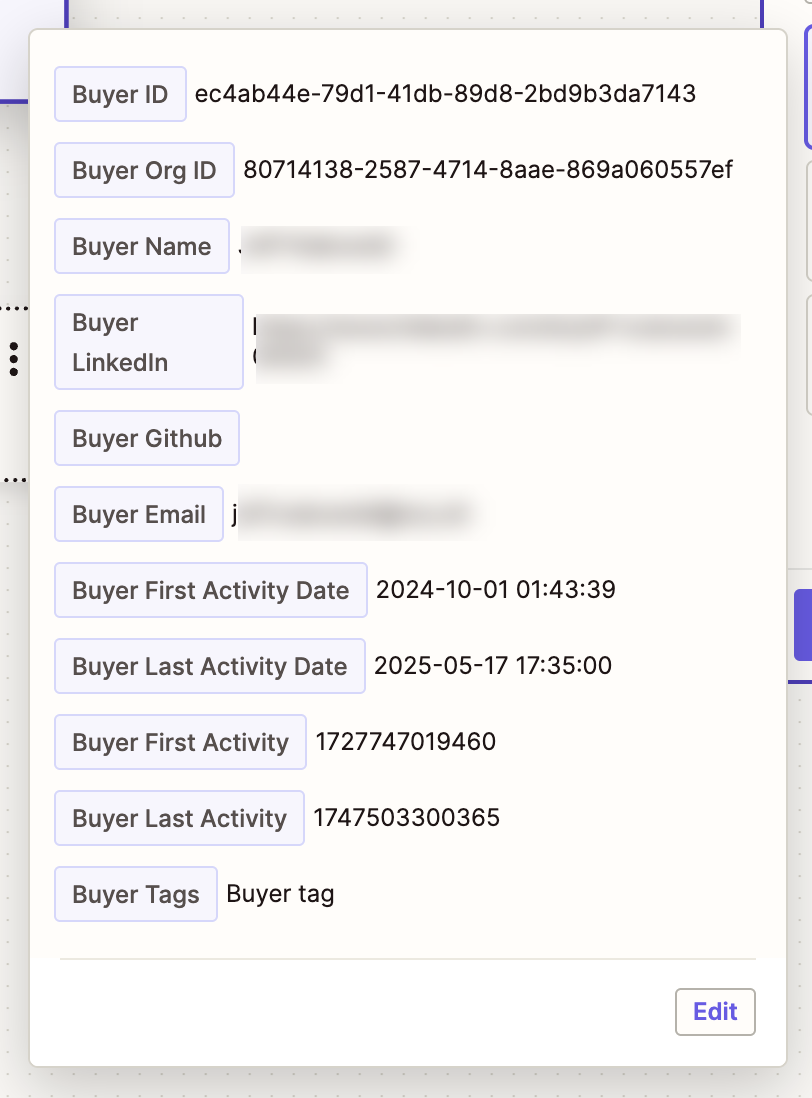
#### Buyer Fields
| Field | Example |
| ------------------------- | -------------------------------------- |
| Buyer ID | `ec4ab44e-79d1-41db-89d8-2bd9b3da7143` |
| Buyer Org ID | `80714138-2587-4714-8aae-869a060557ef` |
| Buyer Name | `John Doe` |
| Buyer LinkedIn | LinkedIn URL |
| Buyer GitHub | GitHub URL |
| Buyer Email | |
| Buyer First Activity Date | `2024-10-01 01:43:39` |
| Buyer Last Activity Date | `2025-05-17 17:35:00` |
| Tags | `Buyer tag` |
***
#### Buyer Fields
| Field | Example |
| ------------------------- | -------------------------------------- |
| Buyer ID | `ec4ab44e-79d1-41db-89d8-2bd9b3da7143` |
| Buyer Org ID | `80714138-2587-4714-8aae-869a060557ef` |
| Buyer Name | `John Doe` |
| Buyer LinkedIn | LinkedIn URL |
| Buyer GitHub | GitHub URL |
| Buyer Email | |
| Buyer First Activity Date | `2024-10-01 01:43:39` |
| Buyer Last Activity Date | `2025-05-17 17:35:00` |
| Tags | `Buyer tag` |
 ***
### Understanding Zap Behavior: Net New Data Only
By default, the Reo.Dev Zapier integration only triggers when a **new account, developer or buyer is added to a segment**. This means:
* The Zap **does not backfill** historical data already present in the segment at the time the Zap is turned on.
* Only **net new entries** to the segment (after the Zap is active) will trigger and be sent to the connected app.
#### Why This Matters
If your Reo.Dev segment already includes a large set of accounts or developers (e.g., 3000+), Zapier will not push those existing records to your connected app (e.g., LinkedIn Ads, Apollo.io, etc.). You’ll only see new entries added **after** the Zap is live.
***
### Recommended Best Practice: Upload Historical Data via CSV
***
### Understanding Zap Behavior: Net New Data Only
By default, the Reo.Dev Zapier integration only triggers when a **new account, developer or buyer is added to a segment**. This means:
* The Zap **does not backfill** historical data already present in the segment at the time the Zap is turned on.
* Only **net new entries** to the segment (after the Zap is active) will trigger and be sent to the connected app.
#### Why This Matters
If your Reo.Dev segment already includes a large set of accounts or developers (e.g., 3000+), Zapier will not push those existing records to your connected app (e.g., LinkedIn Ads, Apollo.io, etc.). You’ll only see new entries added **after** the Zap is live.
***
### Recommended Best Practice: Upload Historical Data via CSV
 If your use case requires **all existing segment data** (not just new additions) to be sent through Zapier, follow these steps:
#### How to Backfill Using CSV Upload
1. **Export the data** from your existing Reo.Dev segment as a CSV file.
2. **Re-upload the CSV** to your platform (e.g. LinkedIn Ads, Salesloft, etc.) using native import functionality or a separate Zap that processes CSV rows.
3. **Then activate the Zap**, so future additions to the segment are automatically handled.
This hybrid approach ensures:
* You don’t miss out on historical data.
* Zapier picks up only net new entries going forward—keeping workflows efficient and lightweight.
---
# Agent Instructions
This documentation is published with GitBook. GitBook is the documentation platform designed so that both humans and AI agents can read, navigate, and reason over technical content effectively. Learn more at gitbook.com.
## Querying This Documentation
If you need additional information that is not directly available in this page, you can query the documentation dynamically by asking a question.
Perform an HTTP GET request on the current page URL with the `ask` query parameter, and the optional `goal` query parameter:
```
GET https://docs.reo.dev/integrations/output-integrations/data-export/zapier.md?ask=&goal=
```
`ask` is the immediate question: it should be specific, self-contained, and written in natural language.
`goal` is optional and describes the broader end goal you are ultimately trying to accomplish on behalf of the user. GitBook uses it to tailor the answer towards what is most useful for that goal.
The response will contain a direct answer to the question and relevant excerpts and sources from the documentation.
Use this mechanism when the answer is not explicitly present in the current page, you need clarification or additional context, or you want to retrieve related documentation sections.
If your use case requires **all existing segment data** (not just new additions) to be sent through Zapier, follow these steps:
#### How to Backfill Using CSV Upload
1. **Export the data** from your existing Reo.Dev segment as a CSV file.
2. **Re-upload the CSV** to your platform (e.g. LinkedIn Ads, Salesloft, etc.) using native import functionality or a separate Zap that processes CSV rows.
3. **Then activate the Zap**, so future additions to the segment are automatically handled.
This hybrid approach ensures:
* You don’t miss out on historical data.
* Zapier picks up only net new entries going forward—keeping workflows efficient and lightweight.
---
# Agent Instructions
This documentation is published with GitBook. GitBook is the documentation platform designed so that both humans and AI agents can read, navigate, and reason over technical content effectively. Learn more at gitbook.com.
## Querying This Documentation
If you need additional information that is not directly available in this page, you can query the documentation dynamically by asking a question.
Perform an HTTP GET request on the current page URL with the `ask` query parameter, and the optional `goal` query parameter:
```
GET https://docs.reo.dev/integrations/output-integrations/data-export/zapier.md?ask=&goal=
```
`ask` is the immediate question: it should be specific, self-contained, and written in natural language.
`goal` is optional and describes the broader end goal you are ultimately trying to accomplish on behalf of the user. GitBook uses it to tailor the answer towards what is most useful for that goal.
The response will contain a direct answer to the question and relevant excerpts and sources from the documentation.
Use this mechanism when the answer is not explicitly present in the current page, you need clarification or additional context, or you want to retrieve related documentation sections.